Check your answers by level, plan study time for your subjects, and track your past paper practice. Your saved timetable and tracker stay in this browser.
10
marks for part (a): knowledge (AO1)
4
marks for part (b): understanding and evaluation (AO2)
14
marks for a full question, (a) plus (b)
50
marks in each paper
Examiners read the whole answer and place it in a level first, then choose a mark inside that level. Adding more points does not move you up a level; developing them does.
Pick the part you are practising, then tick what your answer actually does.
Simplified Cambridge Islamiyat level guide. Use the mark scheme for your exact question. No creditworthy content receives 0 marks.
Tick the features your written answer shows. This suggests a practice level; it cannot award an examiner mark.
Practise under exam conditions, then check your answer with the Level Marking tool.
Tick each paper as you finish it. Your progress is saved in this browser on this device.
2026–2020. Tick each paper after timed practice. Ticks are saved in this browser only.
| Year | May/June P1 | May/June P2 | Oct/Nov P1 | Oct/Nov P2 |
|---|---|---|---|---|
| 2026 | ||||
| 2025 | ||||
| 2024 | ||||
| 2023 | ||||
| 2022 | ||||
| 2021 | ||||
| 2020 |
Past papers and mark schemes are published by Cambridge on the O Level 2058 and IGCSE 0493 syllabus pages and through your school.
Choose your subjects, make time for each one, then tick off your progress.
Your plan stays in this browser.
No account needed.
Your timetable will save automatically on this device.
Click a subject below, then set its study time on the right.
Choose one subject at a time. Add a missing subject below. Saved sessions stay until you edit or remove them.
Tick a session when you finish. Edit your plan whenever life changes.
Choose a subject and some days above, then add your first study session.
Your plan saves in this browser. Clearing browser data removes it. On a shared device, clear your plan when you finish.
Join Past Papers classes for timed paper practice, marking by level and written feedback.
GCE O Level and IGCSE Islamiyat, taught live online by Sir Habib Ur Rahman for students in Pakistan and abroad.
Follow our WhatsApp channel for Islamiyat study tips, new notes and class updates.
Continue to our WhatsApp channel, then tap Follow to receive weekly updates.
A little care today. A greener tomorrow.
Studied with us? Share your honest feedback through our optional Microsoft Forms review form.
A little care today. A greener tomorrow.
Pakistan Studies
Pakistan Studies: IGCSE 0448 / O Level 2059
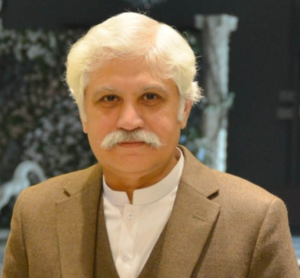
25+ years of teaching experience
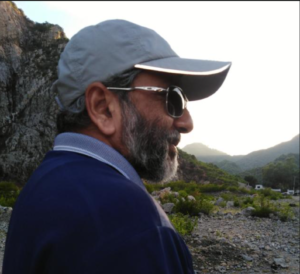
Urdu: IGCSE 0539 · GCE O Level 3248
A Level 9686 (2026) · 9866 (2027 onwards)
Urdu Skills
Urdu educator, author and teacher trainer.
© 2026 CAIE Islamiyat. Notes and handouts are copyright. Independent Islamiyat tutoring.
External content and opinions are outside our control. Use your own judgment. We accept no responsibility for that content or actions based on it, where permitted by law.